Kysyttävää? Soita meille 05 - 375 3220
Free delivery for orders over 1000 € / 30 days Return policy



Subtotal: 10263.80 €
Kysyttävää? Soita meille 05 - 375 3220
Free delivery for orders over 1000 € / 30 days Return policy
The shutter speed of a camera is first and foremost a measure of the mechanical condition of the camera, and is the most important indicator when selling or buying a camera. Here's how to find out the shutter speed yourself
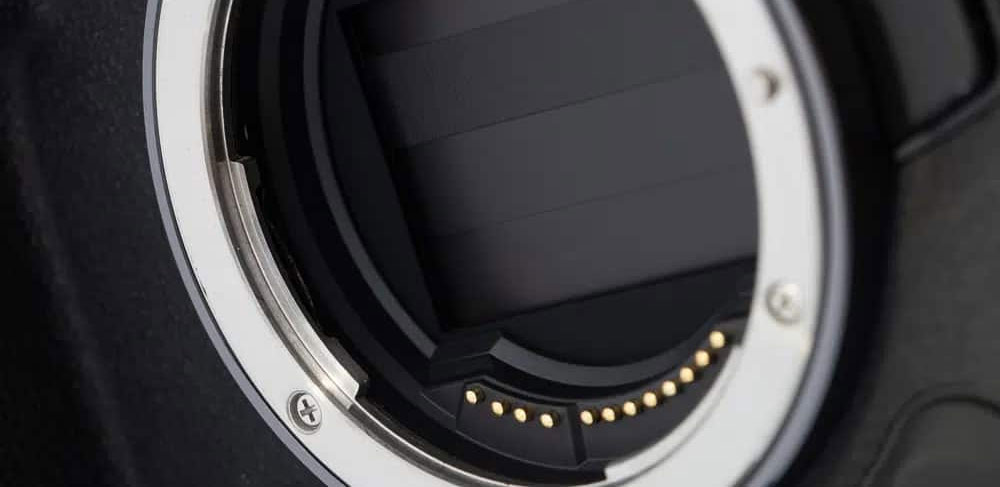
The shutter speed / number of shots / shuttercount is important information when selling a camera, as well as when buying one. It indicates the mechanical condition of the camera, and its expected lifetime. The shutter life of a camera is not specified in any precise way, but you can usually get an indication by searching Google ”[camera model] shutter life expectancy”
If the camera is stated by the manufacturer to last 200 000 shots, and the shutter speed is 100 000, it can be assumed that the camera is roughly halfway through its lifetime. However, this is not an absolute value, the camera will not break down by itself when the number of shots reaches ”full”, but at this point it is already good to be prepared for the possibility of a shutter replacement.
There are often different ways to find out the shutter speed of your camera, here we list what we think are the safest and easiest ways to find out. Different camera brands have different ways of finding out the shutter speed, so we have divided the ways between the different brands.
Canon is the black sheep of the bunch, which does not store the number of images in the EXIF data of the file (usually). Our absolute favourite is the ShutterCount software from the Apple Store - https://apps.apple.com/fi/app/shuttercount/id720123827
This software reliably reads the shutter speed of almost all Canon cameras. The only major drawbacks are that it is only available for Apple and costs 9,90€ at the time of writing. We use this software at Foto Monza.
Others worth mentioning are https://www.camerashuttercount.com/ a website where an image is uploaded and it reads the shutter speed of the image. This works with a limited number of cameras.
Another option is the EOS Info download for Windows - https://sourceforge.net/projects/canon-eos-digital-info/. Even this software's ability to read the shutter speed is limited to certain models. The software does not support the latest cameras (at least at the time of writing)
With Nikon it's extremely simple, Nikon stores all the data in the EXIF data of the image and it can be read from every model on Camerashuttercount.com - https://www.camerashuttercount.com/
As with Nikon cameras, Fujifilm and Sony store the shutter speed in the EXIF data of the image.
Note! In today's mirrorless cameras, it is possible to shoot with an electronic shutter, or the camera does not necessarily have a mechanical shutter at all. The use of an electronic shutter does not ”strain” the camera, nor does it wear out the camera, hence it is not recorded as a shutter speed. So you can get very moderate shutter speeds with this type of camera.
Olympus & OM cameras record shutter operation directly to the camera, getting a reading requires a little finger fiddling with the camera.
With Panasonic, as with OM cameras, you need a bit of dexterity. The instructions differ slightly depending on the model of camera. Therefore we link to this site where you can find all the instructions
As there is a slight difference between reading the instructions and actually doing it, here is a Youtube video on the subject: https://www.youtube.com/watch?v=MPUKD3C4EP8







That nikon counter doesn't recognize the number of frames in the image
Tämä johtuu yleensä ettei malli ole tuettujen kameroiden listalla, tai kuvasta on hävitetty META tietoa esim Lightroomin kautta. Kuva pitäisi lähettää suoraan kameran muistikortilta sivustolle. Me ollaan viimeksi tänään aamulla otettu shuttercountteja ulos tuon sivuston avulla, eli se kyllä pelaa 🙂